WhatsApp: How to customize your chat theme, bubble colour and wallpaper
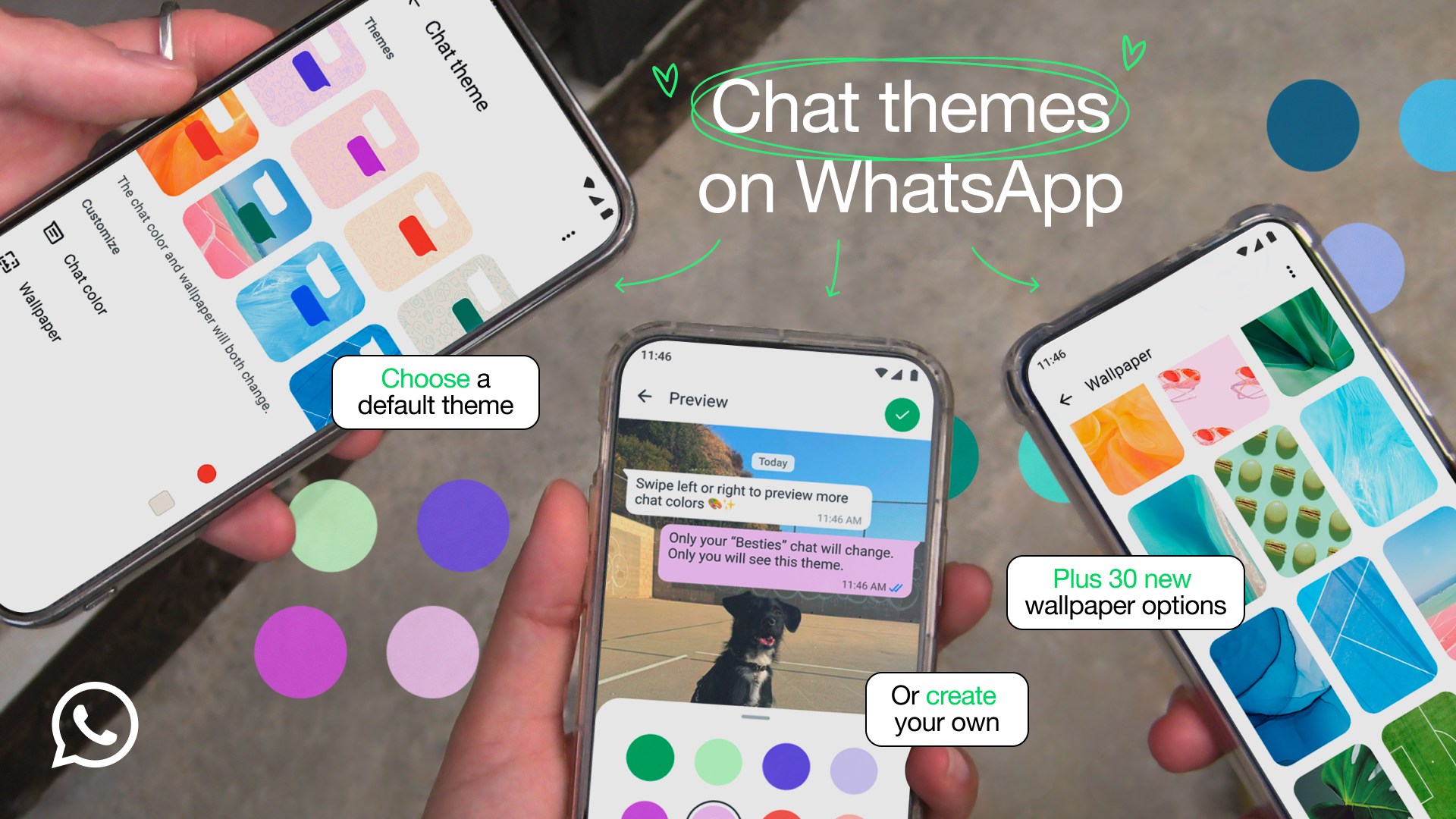
The feature, which is available for both iOS and Android users allows them to make chats unique with colourful chats and new wallpapers.
WhatsApp has introduced a new feature that allows users to customise their chat theme colour, background and bubbles.
The feature, which is available for both iOS and Android users allows them to make chats unique with colourful chats and new wallpapers.
More To Read
- ChatGPT, Copilot forced off WhatsApp as Meta enforces new AI restrictions
- WhatsApp rolls out lightweight status feature inspired by Instagram Notes
- WhatsApp brings multi-account function to iPhone after months of delay
- WhatsApp to enable messaging across apps like Telegram and Signal
- Apple Watch users get full WhatsApp access in new app rollout
- WhatsApp rolls out per-chat storage management, profile cover photos like Facebook
"You asked for it. Here it is! We are introducing chat themes, so you can make your chats uniquely yours with colourful chat bubbles and new wallpapers," they said in a blog.
1. Changing the wallpapers
The rolled-out pre-set themes have been there, but now, WhatsApp says users have 30 options to choose from, set a plain colour or upload a new background for the chat from the photo gallery.
WhatsApp said that users can choose to apply a theme to all of their chats or choose a theme for a specific conversation.
These themes are only visible to the user and can be applied to the WhatsApp Channels as well.
The themes also allow users to customise the background brightness and even change the colour of outgoing messages.
However, the colour of incoming messages will either be white or grey, depending on whether you are using a light or dark theme in the app.
2. Changing the theme
To change the theme of all your chats and channels:
1. Go to Settings then Chats.
2. Click on the default chat theme.
3. To customise each chat individually, click the chat name at the top of the chat screen (on iOS), or click the 3-dot menu (on Android).
4. Click the chat theme and customise it accordingly.
WhatsApp said the features are now starting to roll out and will be available globally over the coming weeks.
Top Stories Today